
1. Set up the event
Title, text, active period and QR code.
Every guest’s moments · one place
Guests share photos and videos with a simple QR code. Everything gathers in one gallery, ready to enjoy and download after the celebration.
No app. No complicated registration. More memories.
 Pay easily with Vipps
Share photos and videos from weddings, celebrations and events

Someone caught the speech. Someone else captured the dancing, the laughter or a quiet moment in the corner. EventCam brings their views together.

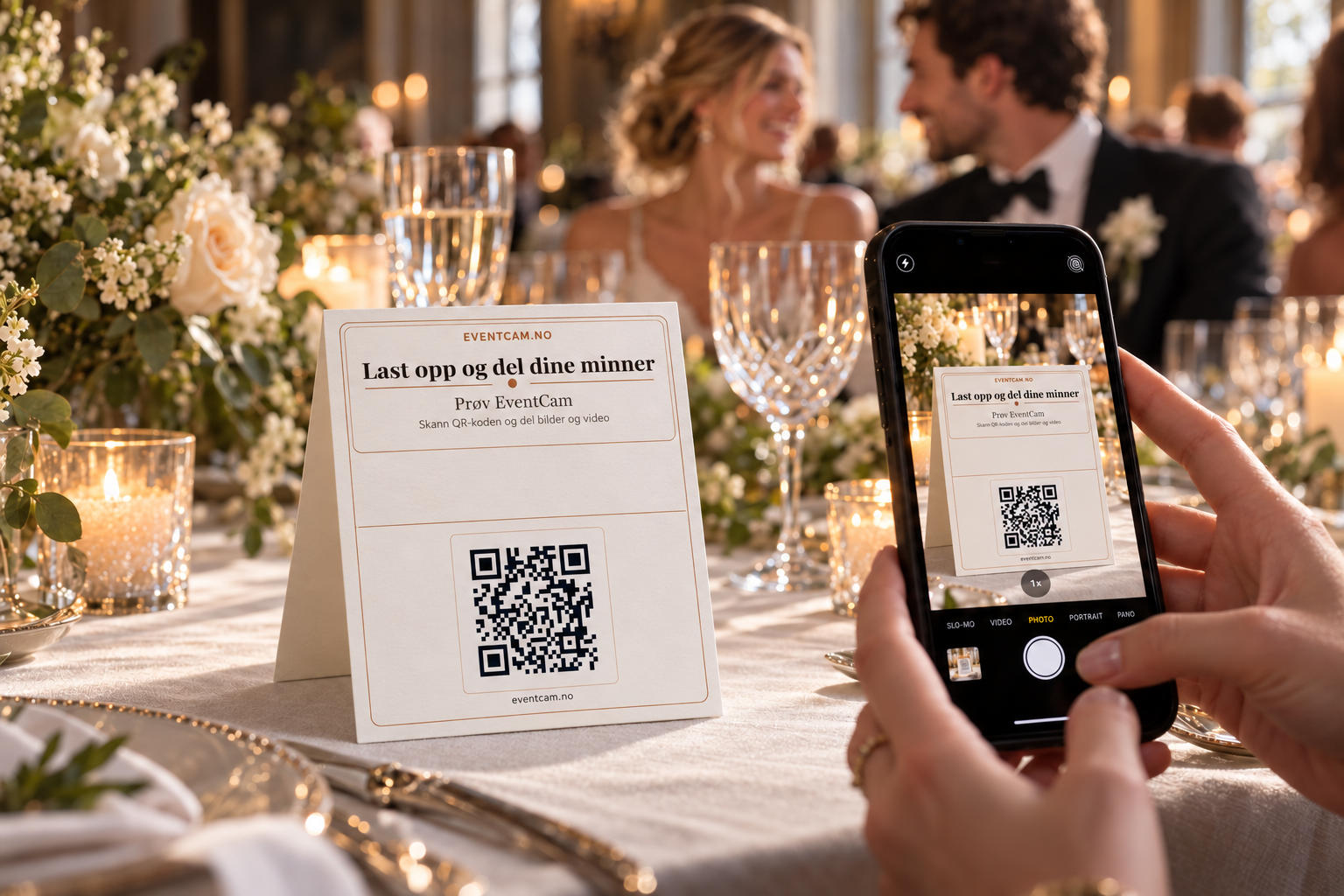
You get an event page with a QR code. Guests upload from their phones while the gallery and slideshow can be shown live on a large screen.
Title, text, active period and QR code.
Photos and videos are shared from the mobile browser.
Play guest photos and short videos continuously on a TV or large screen.
View the gallery during the event and download the archive afterwards.
Enjoy photos as they arrive, show them on a big screen and keep them afterwards.
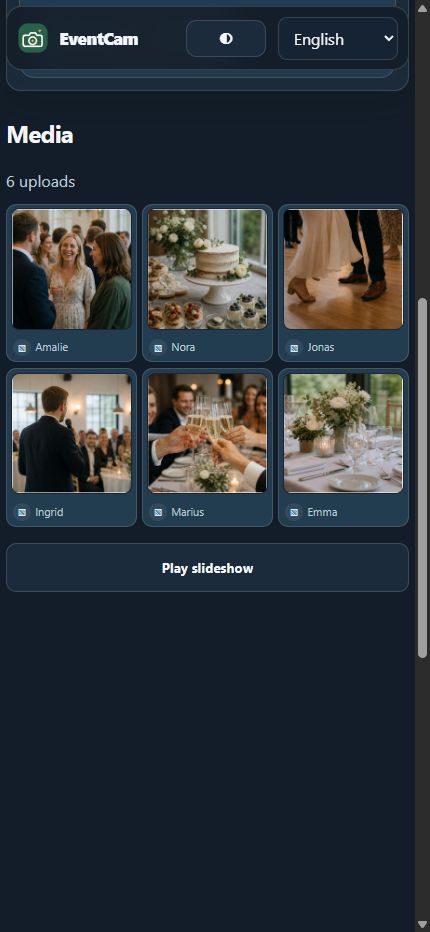
Guests can see both their own and other guests’ uploaded photos and videos in the shared gallery.

New uploads appear continuously on phones, TVs or large screens.
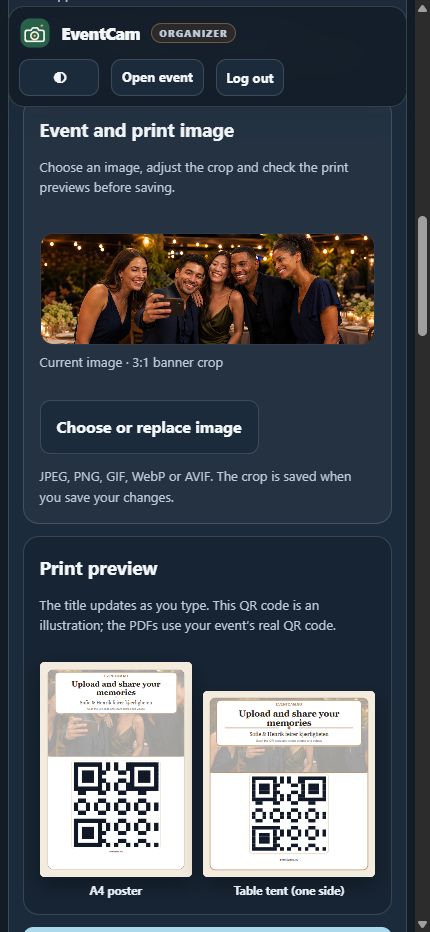
Event Admin lets the customer update event details, review every upload and remove unwanted content.
NOK 1,500 per event. Choose the date – one week of access to the service is included.
Set up and test uploads and QR codes.
Collect photos and videos from your guests.
Give guests time to upload afterwards.
3 days before + the event day + 3 days after = 7 calendar days. After approval, the event opens at 00:00 three days before and closes at midnight at the end of the third day after the event. All times are Norway time.
Submitting your booking takes you to Vipps. Your event is set up after confirmed payment, and information and QR materials are emailed to you.
Book EventCamNeed a longer or different period? Email [email protected] to arrange it. Changing the duration may change the price.
Prices, liability, cancellation and other conditions are described in our Terms.
Enter your name and email and we will create a private demo for you.
The demo lasts 24 hours. Photos and other content are deleted when it expires.
Enter the code to open the upload room.
A few things you might want to know before booking.
No. Guests scan the QR code or open the event link in their phone’s browser. No app or guest account is needed.
EventCam is designed for recent iPhone and Android phones, iPad and other tablets, as well as PCs and Macs. Use an up-to-date browser such as Safari, Chrome, Edge or Firefox. Older browsers and browsers built into other apps may have limitations.
Yes. Guests can upload photos and videos from their phones, including files they have already taken. Everything gathers in the event’s shared gallery.
Yes. Uploads, the gallery and the slideshow need Wi-Fi or mobile data. Guests can take photos and videos offline and upload them later, while the event is still open.
Check the internet connection. If the guest link opened inside Facebook or another app, try opening it directly in Safari or Chrome. Allow the browser to access the selected photos and videos. Files stored only in iCloud or another cloud service must first be downloaded to the device. Keep the page open until the upload finishes, and try one file first.
Anyone with the guest link or QR code can view the gallery and download available files while the event is open. The link can be forwarded, so share it only with people you want to give access to. For regular events, organizers can remove unwanted uploads from the organizer page. The personal demo does not include the regular organizer page.
Yes. Copy the guest link and share it in a Facebook event, chat, text message or email. It opens the same guest page as the QR code. Anyone who receives the link can access the event while it is open, so share it only with people you want to give access to. Do not share private organizer or sign-in links.
NOK 1,500 per event. Choose the date – one week of access to the service is included.
3 days before + the event day + 3 days after = 7 calendar days. After approval, the event opens at 00:00 three days before and closes at midnight at the end of the third day after the event. All times are Norway time.
For a different period, contact [email protected]. Changing the duration may change the price.
For a booking paid with Vipps, the booking is approved automatically once the completed payment has been confirmed. Confirmation, the guest link, A4 poster and table tents are sent by email. New customers also receive a link to choose a password for the organizer page. The guest page opens only when the agreed access period starts. If you have arranged another payment method, follow the information we send you.
Yes. For regular bookings, the A4 poster and table tents with a QR code are emailed as PDFs once the booking is confirmed. With Vipps, this happens automatically after payment is confirmed. The personal demo emails a QR poster as a PDF. Display the prints where guests can see them, or share the guest link directly.
Open the PDFs and choose A4, portrait orientation and actual size (100%), without fitting to the page. Print single-sided. The poster can be displayed on a wall or in a frame. The table-tent sheet makes six tents; use 160–200 g/m² paper if your printer supports it. Cut along the darker trim guides, including the outer edges, and fold each card at the light fold guide in the middle. Keep folds and decorations away from the QR code, and test one print with a phone before printing more.
Yes. While the event is open, open the slideshow from the guest page in a browser on a device connected to the TV or large screen. New uploads appear as they arrive. The device needs internet access. Older TV browsers may have limitations, so a PC or Mac connected to the screen is a useful option.
For regular events, a download link is emailed after the event ends and the ZIP archive is ready. The archive contains the original files still present in the event; removed uploads are excluded. The usual download deadline is 30 days after the event ends; check the deadline in the email. Download and verify the archive before that deadline and keep your own backup. After the deadline, the archive is no longer available to download. Demos do not include ZIP delivery.
Yes. You can create a free personal demo that starts immediately and lasts 24 hours. The guest link and a QR poster PDF are emailed to you. Demo photos, videos and QR materials are marked DEMO. Content is deleted when the demo expires. The personal demo does not include the regular organizer page or ZIP delivery.